NxBrowser icon

The browser that tiles like your window manager

NxBrowser is a fast, keyboard-first web browser for macOS, written in Rust. GPU-drawn interface, Safari's WebKit engine, Chrome extensions, isolated profiles and a real terminal built in.

zsh
$brew install --cask abeldzan/tap/nxbrowser
Free and open source (MIT) · Apple Silicon · macOS 14 or newer

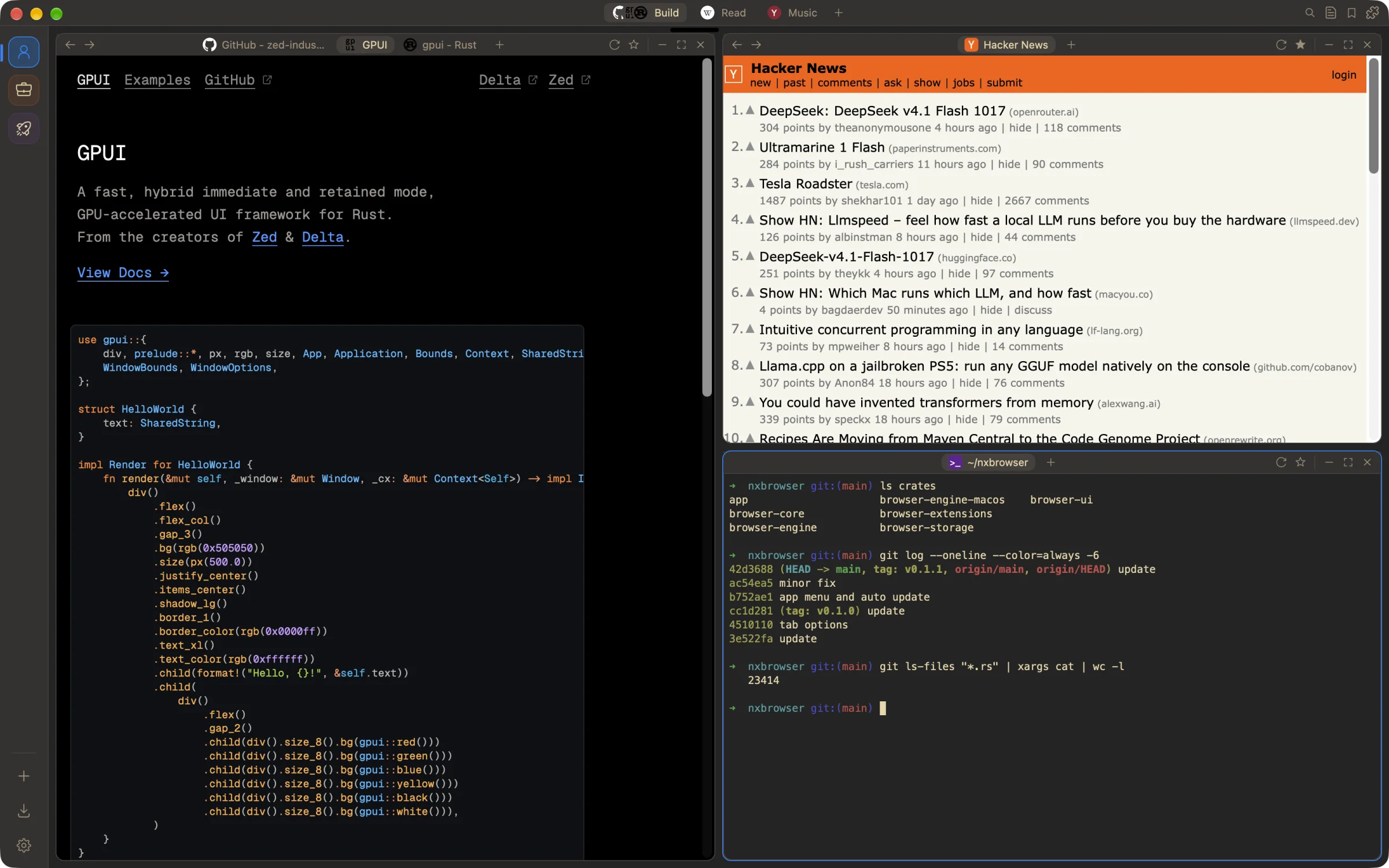
NxBrowser with three tiled windows: the GPUI website with three tabs, Hacker News, and a terminal
Spaces & windows

Pages are windows. Arrange them however you think.

Every space is a stage. Windows tile automatically as a split tree, or float freely and snap to halves and quarters. Each window can hold its own tabs.

  • Focus with ⌃⌘ + arrows, move with ⌃⇧⌘ + arrows
  • Switch spaces with ⌥⌘← ⌥⌘→, or drag one into its own OS window
  • Tear a window off, and drag it back to merge
  • ⌥-click a link to peek at it in a floating window
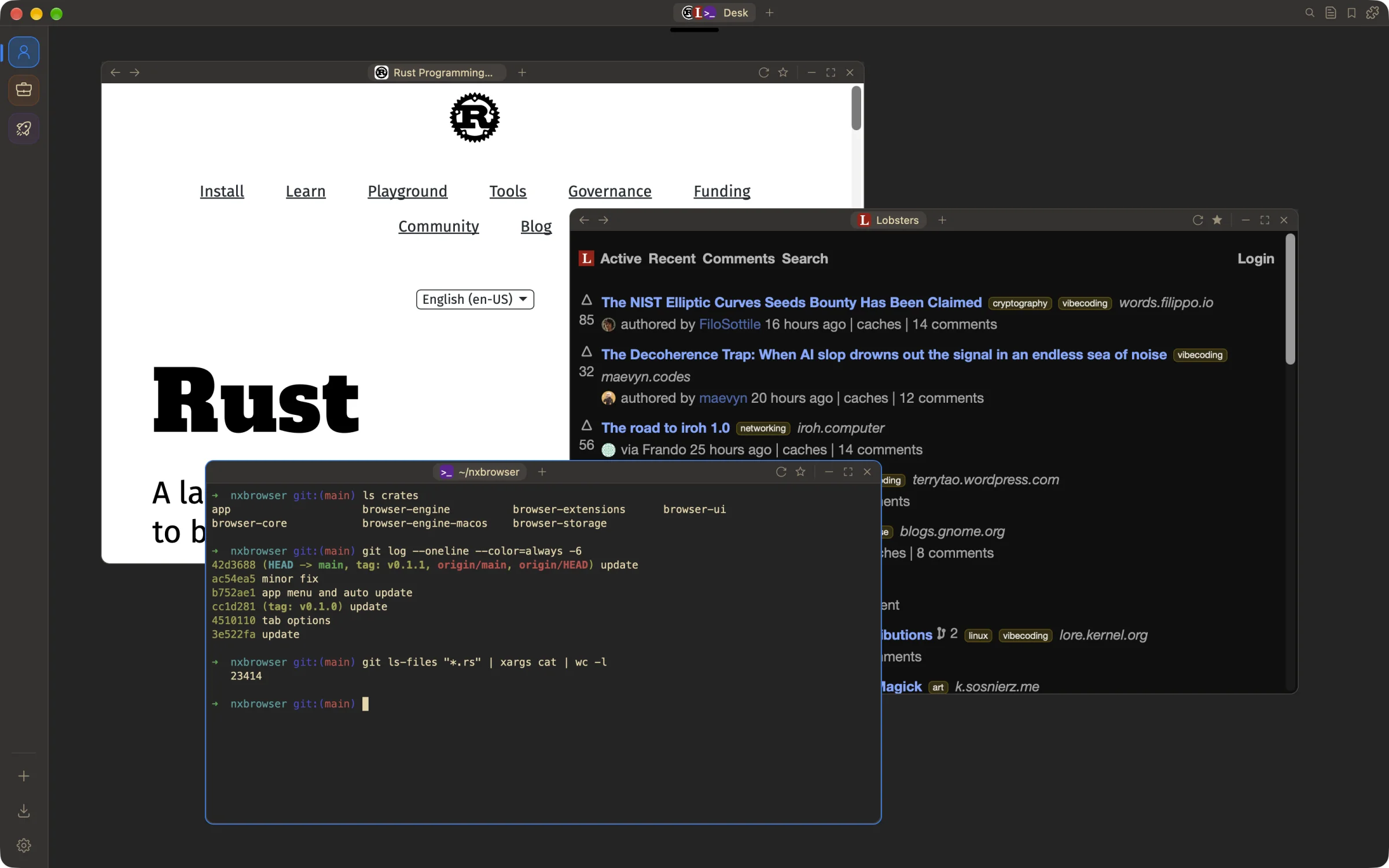
A floating space with the Rust website, Lobsters and a terminal overlapping
Built-in terminal

Your shell, right next to the docs.

Terminal tabs (⌥⌘T) run your login shell, tile with your pages and come back in the same folder after a restart.

  • Built on alacritty_terminal
  • Mouse reporting, bracketed paste, kitty graphics images
  • Your choice of font, size, line height, cursor, shell and scrollback
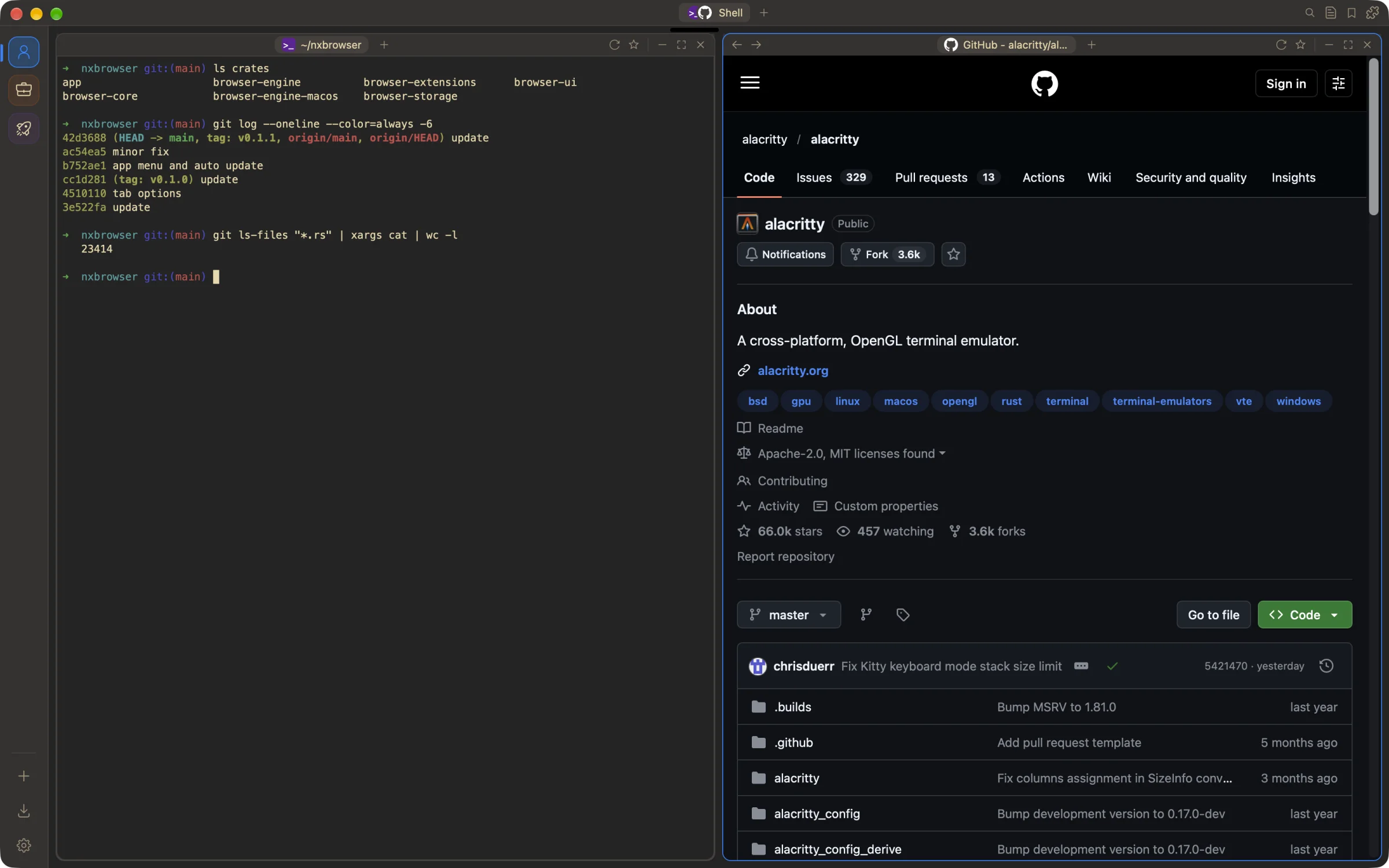
A terminal tab tiled beside the alacritty GitHub repository
Command palette

One shortcut for everything: ⌘K

Search tabs, bookmarks, history, spaces, profiles, extensions and every action. Change settings in place, do quick sums, and search other sites with bangs.

  • Scopes: @tabs @bookmarks @history @actions @spaces
  • Bangs: !yt !gh !w !mdn !crates !claude and 20 more
  • Type 12*(3+4) and the answer is copied
⌘K
search tabs, bookmarks, actions…▌
!gh gpuiSearch GitHub
@tabs hackerJump to an open tab
> darkSwitch theme
12*(3+4)= 84, copied
!crates serdeSearch crates.io
@spaces buildSwitch space
Start page

Open a tab, land where you meant to go.

The new-tab page shows your pinned sites, recent visits and bookmarks. Address bar suggestions come from history, bookmarks and your search engine.

  • DuckDuckGo, Google, Bing, Brave, Startpage or Ecosia
  • History, bookmark and download panels
  • Drag finished downloads straight into a page or Finder
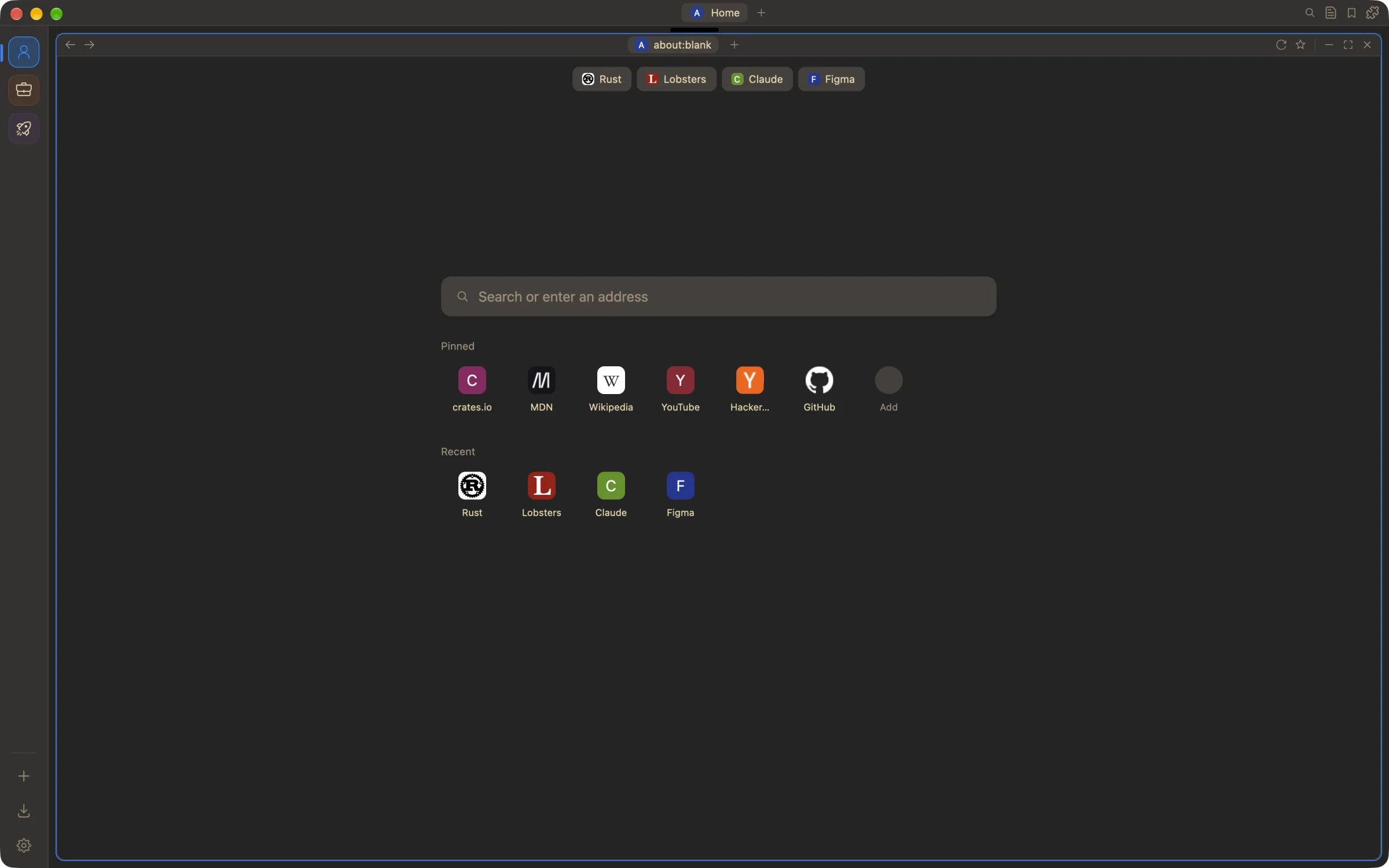
The new-tab page with pinned and recent sites
Make it yours

Light, dark, any accent.

Pick a theme and accent color, comfortable or compact density, and reduced motion. Every shortcut can be rebound in Settings.

  • Compact, Safari-style title bar: navigation, tabs and tools in one row
  • Profiles get their own name, icon and color on the profile rail
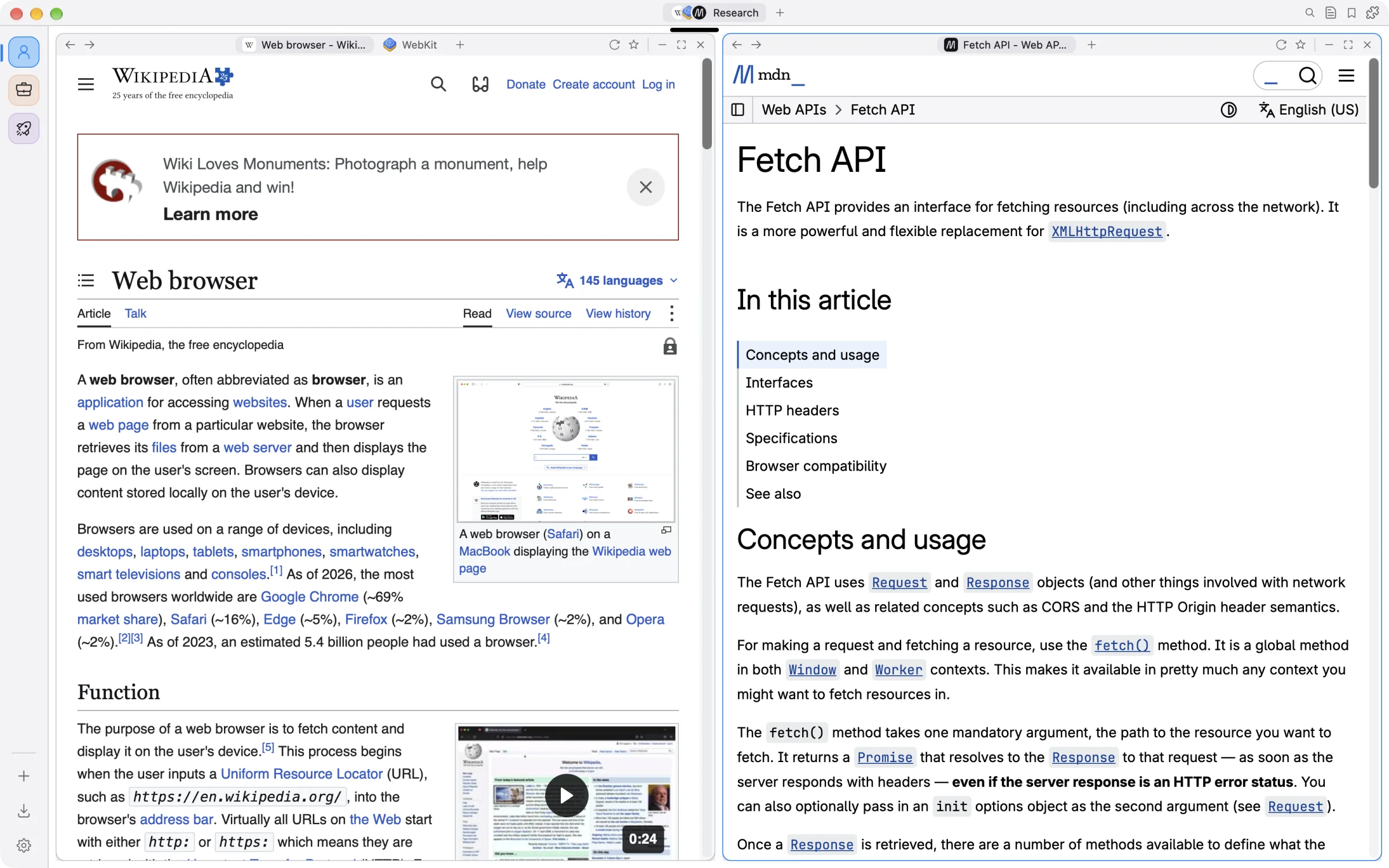
Light theme with WebKit.org and MDN tiled side by side
Everything else

Private, quick, and complete.

The things you expect from a daily browser, built in instead of bolted on.

profiles

Isolated profiles

Each profile has its own WebKit data store: cookies, logins, storage and extension data never cross over. Private profiles are wiped at launch.

extensions

Chrome extensions

Chrome Web Store extensions, MV2 and MV3, run unmodified on WebKit's native extension runtime. Enabled per profile.

passwords

Password manager

AES-256-GCM, key in the Keychain, Touch ID to reveal. Generator, health checks and CSV import/export.

blocking

Ads and trackers blocked

Built-in content rules, pop-up blocking, HTTPS-only mode and fraud warnings. Per-site camera and mic permissions.

performance

GPU-rendered

Built on GPUI and Metal. Web views are created lazily, and background tabs are suspended so they use no memory.

sessions

Never lose a tab

Sessions are saved continuously. A crash or restart brings every window, tab and terminal back. Updates install themselves.

Keyboard first

Your hands stay on the keys.

These are the defaults. Every one of them can be changed.

Command palette⌘K
Address bar⌘L
New tab⌘T
New terminal⌥⌘T
Reopen closed tab⇧⌘T
Switch tabs⌘1…9
Focus window⌃⌘ arrows
Move window⌃⇧⌘ ←→
Next / previous space⌥⌘ ←→
New space⌃⌘N
Find in page⌘F
Inspect page⌥⌘I

Install NxBrowser

One line with Homebrew. It keeps itself up to date after that.

zsh
$brew install --cask abeldzan/tap/nxbrowser
Apple Silicon, macOS 14 or newer. The app is ad-hoc signed, not notarized; the cask clears the quarantine flag for you.